Lovable guide
Lovable draft backends: how to test database changes without touching your live app
A Certified Lovable Expert's plain-language guide to Lovable drafts: how draft backends keep your real customer data safe while you test new features, what they can't do, and a workflow for changing a live app with confidence.
Why it matters
The problem with editing a live app.
Building the first version of an app is the easy part. The harder part comes later, when real customers are booking, paying and signing in every day, and you want to add something new. A new field on a booking form, a loyalty points table, a staff-only report. Each of those changes touches the database, the place where your customers' information lives.
In many AI builders, and in plenty of traditional projects too, that kind of change happens directly on the live app. If the new table is set up wrong, or an access rule is too open, your customers feel it immediately. Pages break, bookings fail, or worse, private information becomes visible to people who shouldn't see it.
Professional development teams solve this with a staging environment: a separate copy of the app and its database where changes are tested before they go live. Staging works, but it usually means setting up and paying for a second copy of everything and keeping the two in step by hand. Most small businesses skip it, and take the risk.
Lovable's drafts, and the draft backends that come with them, bring that staging idea into the normal building flow. You don't set anything up. You start a draft, test your change against example data, and only then decide whether it should reach your live app.
The basics
What drafts and draft backends are.
According to the official Lovable documentation, a draft is a copy of your project for testing changes before you add them to the main version. You can chat with Lovable inside the draft, preview the result, and share it, all without changing the version your visitors use.
The newer part is the backend. On projects that use Lovable's built-in backend, a draft usually gets its own backend as well. That draft backend copies the structure of your database, meaning its tables, columns and access rules, and starts with example data instead of your real records.
Draft
A safe copy of your project's pages and code where you try a change before adding it to the main version.
Draft backend
A separate database for that draft, with the same structure as your live one but filled with example data.
Live backend
Your real database with real customers, bookings, orders and messages. A draft with its own backend never writes test records here.
Accepting
The moment you decide the draft is ready. Structure changes move to the live database; the test data stays behind.
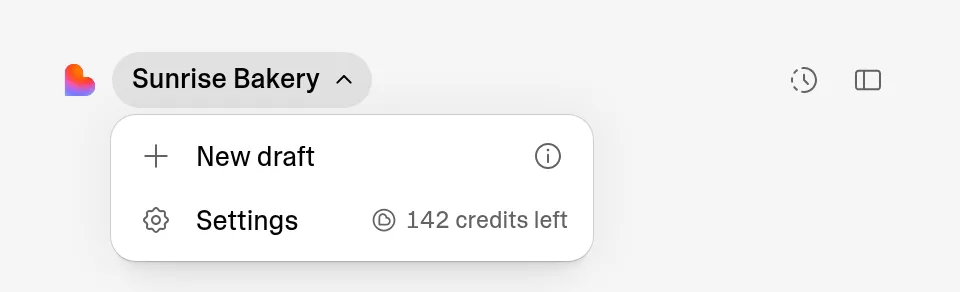
Lovable lists this in its changelog as testing database changes in an isolated draft backend before applying them to the live database. In plain terms: you can break things in the draft, and your customers will never notice.
Check first
Does your draft have its own backend, or share the live one?
This is the most important thing to check, because the feature is rolling out gradually. Lovable's documentation says some drafts still share the live backend. The way to tell is simple, and you should look every time you start a draft that involves data.
Banner: viewing example data
Your draft has its own backend. Anything you add, edit or delete while testing affects only example records.
No banner
Your draft shares the live backend. Forms you submit and records you create in the preview are real, so test carefully or use clearly labelled test entries.
With a shared live backend, drafts still help. New tables, columns and access rules are prepared in the draft and added to the live database when you accept. The catch is that pages which rely on those new tables may show errors in the draft preview until you accept, because the live database doesn't have them yet.
Either way, the rule I follow on client projects is the same: confirm which backend the draft uses before testing anything that saves information.
Under the hood
How a database change moves from draft to live.
Here is what happens, in order, when you build a feature that needs new data in a draft with its own backend.
- 01
You describe the change
For example: "Add a loyalty points balance to each customer and show it on their account page."
- 02
Lovable prepares the structure
It adds the new table or column and the access rules that control who can read and change it.
- 03
The draft database is updated
The structure change is applied to the draft backend only, so you can try it with example data straight away.
- 04
You test with example data
You click through the feature, try edge cases, and check that customers only see their own information.
- 05
You accept the draft
Lovable applies the same structure changes to the live database. The draft's example data is not copied.
- 06
You publish
Publishing updates the pages your visitors see so they match the new database structure.
Notice that accepting and publishing are separate. The documentation is clear that accepting can update the live database immediately, before you publish the app's pages. In practice that means you should accept when you are ready to publish, not days before.
Limits
What a draft can and can't change.
Drafts are designed to be safe, and part of that safety is a deliberate limit on what they can do to your existing data. Knowing these limits up front saves a lot of confusion.
A draft can add
New tables, new columns on existing tables, and new access rules that decide who can read or edit information.
A draft can't remove
Existing tables or columns. Nothing that already holds your data is deleted by accepting a draft.
A draft can't rename
Existing tables or columns. Lovable may add a replacement and leave the old one in place.
A draft can't retype
A column's data type, such as turning a text field into a number. That change needs to be handled another way.
Changes that can't be handled by adding something new must be made manually in the SQL editor. That is a good moment to bring in someone experienced, because removing or reshaping a column that holds real data is exactly the kind of change that needs a backup and a plan.
I see these limits as a feature, not a weakness. The changes most likely to lose data are the ones a draft won't make on its own.
Workflow
A safe step-by-step workflow for live apps.
This is the workflow I use when updating a client's live Lovable app. It works for a one-person business and scales to an agency handling several projects.
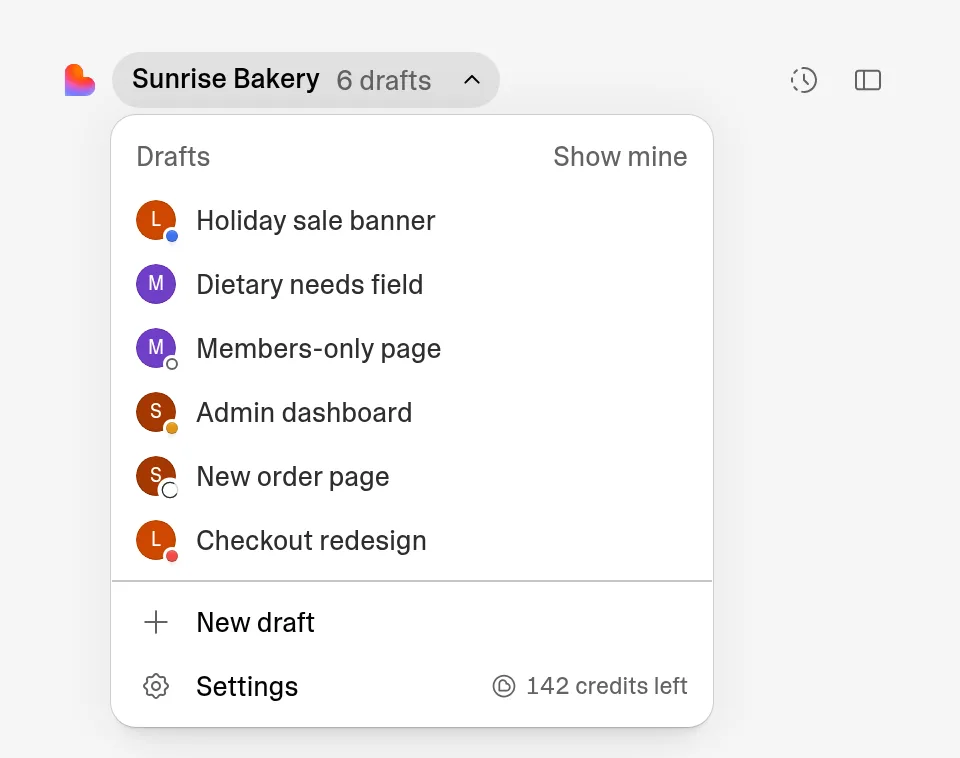
- 01
Write down the change
One feature per draft. "Add gift vouchers" is a good draft; "add gift vouchers, redo the menu and change prices" is three.
- 02
Start a draft
Create the draft from the main version so it starts from what customers use today.
- 03
Check the banner
Confirm whether you are on example data or the live backend before saving anything.
- 04
Build and review the plan
Ask Lovable to explain which tables, columns and access rules it will add, in plain language.
- 05
Test like a customer
Sign up, book, pay or submit a form the way a real visitor would, on desktop and mobile.
- 06
Test like an outsider
Check that one customer can't see another customer's records and that staff-only pages stay private.
- 07
Run a security scan
Run a scan before you accept. My guide to Lovable security scans explains Quick and Deep scans.
- 08
Accept, then publish
Accept when you are ready, then publish straight away so the pages and database match.
- 09
Check the live app
Repeat one or two key tests on the live site and keep an eye on enquiries for the next day.
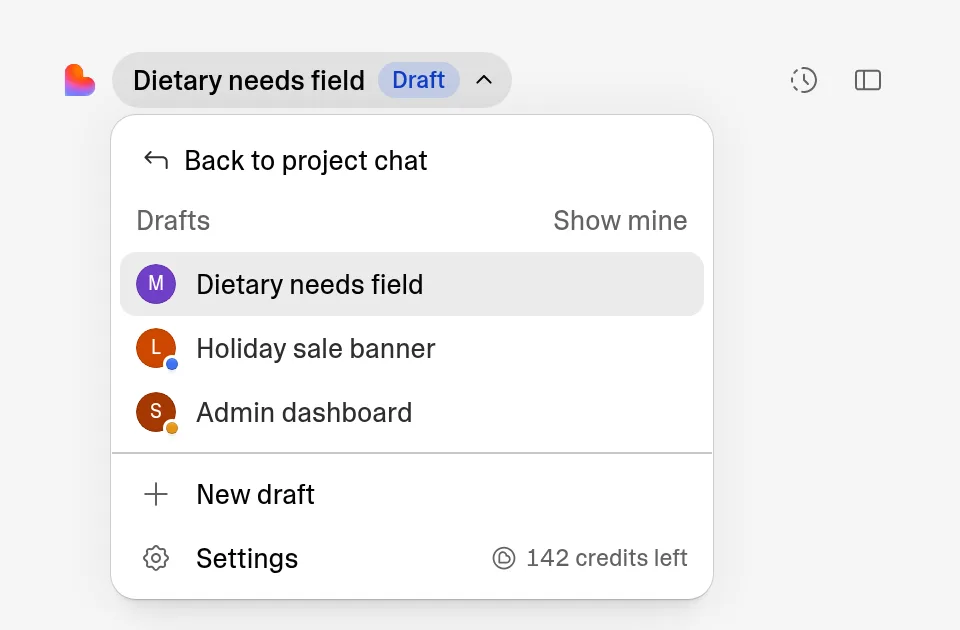
Examples
Real business examples.
The value of draft backends is easiest to see with everyday changes. These are the kinds of updates small businesses ask me for most often.
Booking app: add a deposit
Test a new deposit amount column and payment status on example bookings before any real customer is asked to pay.
Online shop: add stock levels
Try a stock count on example products, including what happens when an item sells out, without hiding real products.
Client portal: add documents
Test that each client sees only their own files using example accounts, before real contracts are uploaded.
Service business: add a review form
Check where reviews are stored and who can read them before customers start leaving feedback.
In the LEON demo case study, a fictional mobile detailing app I built, features like booking tracking and the business dashboard depend on careful data rules. Changes like these are exactly what I would now test in a draft first.
Watch out
Common mistakes to avoid.
- Testing in a draft without checking the banner, then realising the test bookings went into the live database.
- Accepting a draft and waiting days to publish, leaving the live database and pages out of step.
- Packing several unrelated features into one draft, which makes it hard to see what broke.
- Only testing as the owner. Always test as a regular customer and as a signed-out visitor too.
- Expecting a draft to rename or delete a column. Plan those changes separately with a backup.
- Assuming example data covers every case. Add an example with empty fields, long names and unusual values.
Checklist
Checklist before you accept a draft.
- I know whether this draft uses example data or the live backend.
- I can explain, in one sentence, which new tables or fields this draft adds.
- I tested the feature as a customer, as a signed-out visitor and as the business owner.
- Customers can't see each other's information.
- A security scan shows no critical findings, or I understand and accept the ones that remain.
- I'm ready to publish right after accepting.
- The page titles and descriptions are still right. The Lovable SEO checklist helps here.
Getting help
When to get expert help.
Drafts make most everyday changes safe enough to do yourself. It is worth bringing in an expert when the change involves payments, sign-ins, removing or reshaping existing data, or an app that many customers depend on every day.
As a Certified Lovable Expert in the Philippines, I build custom web apps and handle ongoing maintenance for businesses, using drafts to keep their live apps steady while they grow. Get in touch to talk about your project.
FAQ
Common questions.
What is a draft in Lovable?
A draft is a copy of your project where you can try changes before they are added to the main version. You can build, preview and test in the draft, then accept it when you are happy or leave it if the idea doesn't work out.
What is a draft backend?
On projects that use Lovable's built-in backend, a draft usually gets its own backend. It copies the structure of your database and starts with example data, so the records you create while testing stay separate from your real customers' data.
How do I know if my draft has its own backend?
Look at the preview. A banner saying you are viewing example data means the draft has its own backend. If there is no banner, the draft shares your live backend, so treat any data you enter there as real.
Does my test data get copied to the live app?
No. When you accept a draft, Lovable applies the structure changes, such as new tables, columns and access rules, to the live database. The example data and test records from the draft are not copied over.
Can a draft delete or rename a database table?
No. A draft can add tables, columns and access rules, but it can't remove or rename existing tables or columns, or change a column's data type. Lovable may add a replacement instead and leave the old structure in place.
Does accepting a draft publish my website?
Not exactly. Accepting can update the live database straight away, before you publish the new pages. That is why you should review the changes first and publish soon after accepting so pages and data stay in step.
Is this the same as a staging environment?
It works like a lightweight staging environment for your app and database structure. For most small business apps it removes the need to set up and pay for a separate staging copy by hand.
Sources
References.
- Lovable Drafts documentation — Official guide to drafts, draft backends, accepting a draft and database limits, and the source of the screenshots in this article (checked November 18, 2026).
- Lovable changelog — Lovable's list of recent releases, including testing database changes in an isolated draft backend.
- Lovable security overview — How access rules and security scans protect your app's data.
Feature details are from Lovable's official documentation as of November 18, 2026. Draft backends are rolling out gradually and may work differently on your project.

About the author
Benjie Balais
Certified Lovable Expert · Website & App Builder · Philippines
Benjie is the founder of Benometree and a Certified Lovable Expert who designs, builds, and maintains business websites and web apps with Lovable. He writes from hands-on project work, including launch, search indexing, and ongoing support.