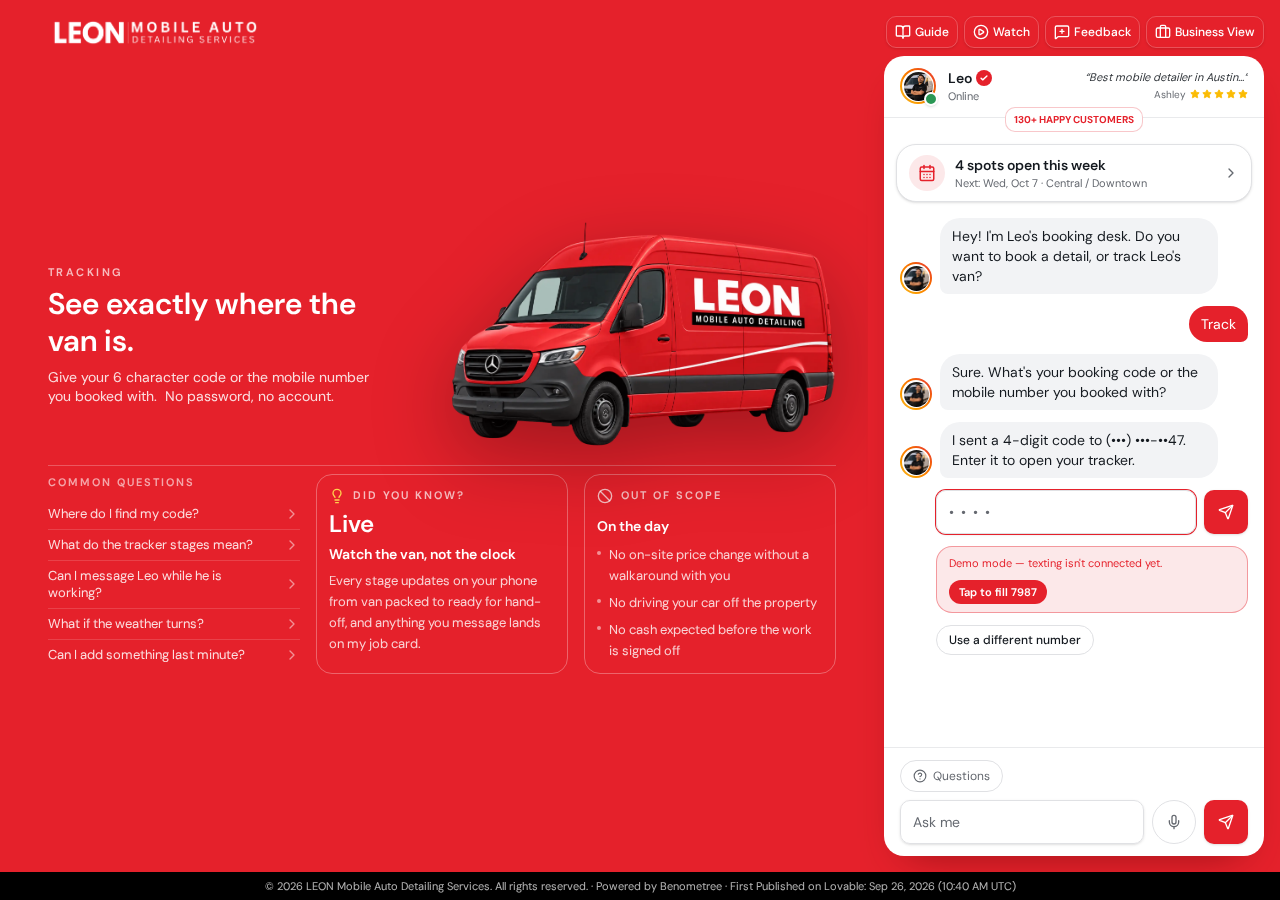
Every screenshot below is taken from the live project. Followed in order, these eight screens are the whole customer journey, from first hello to a confirmed booking and a tracked van.
01
The booking desk greets every visitor
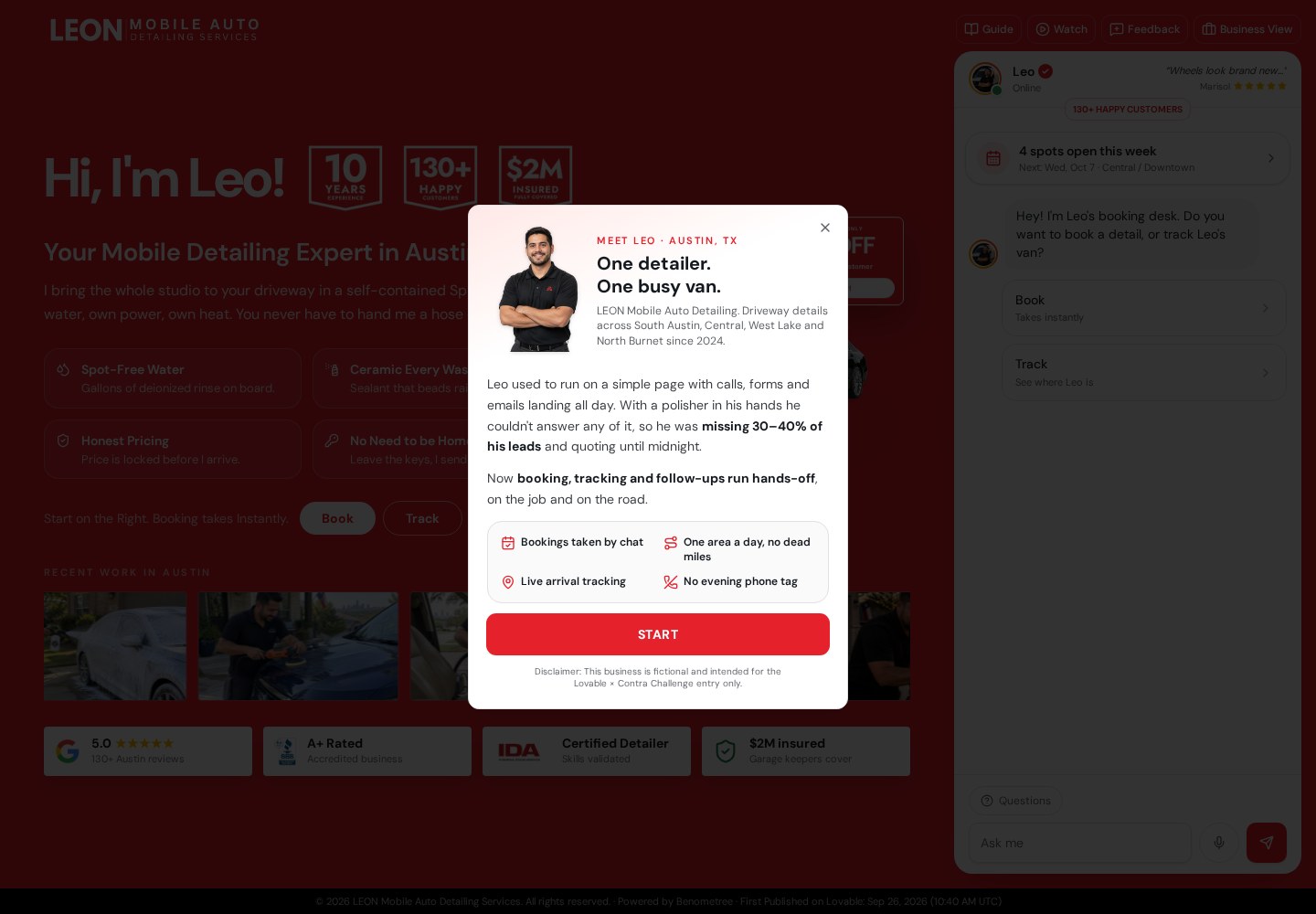
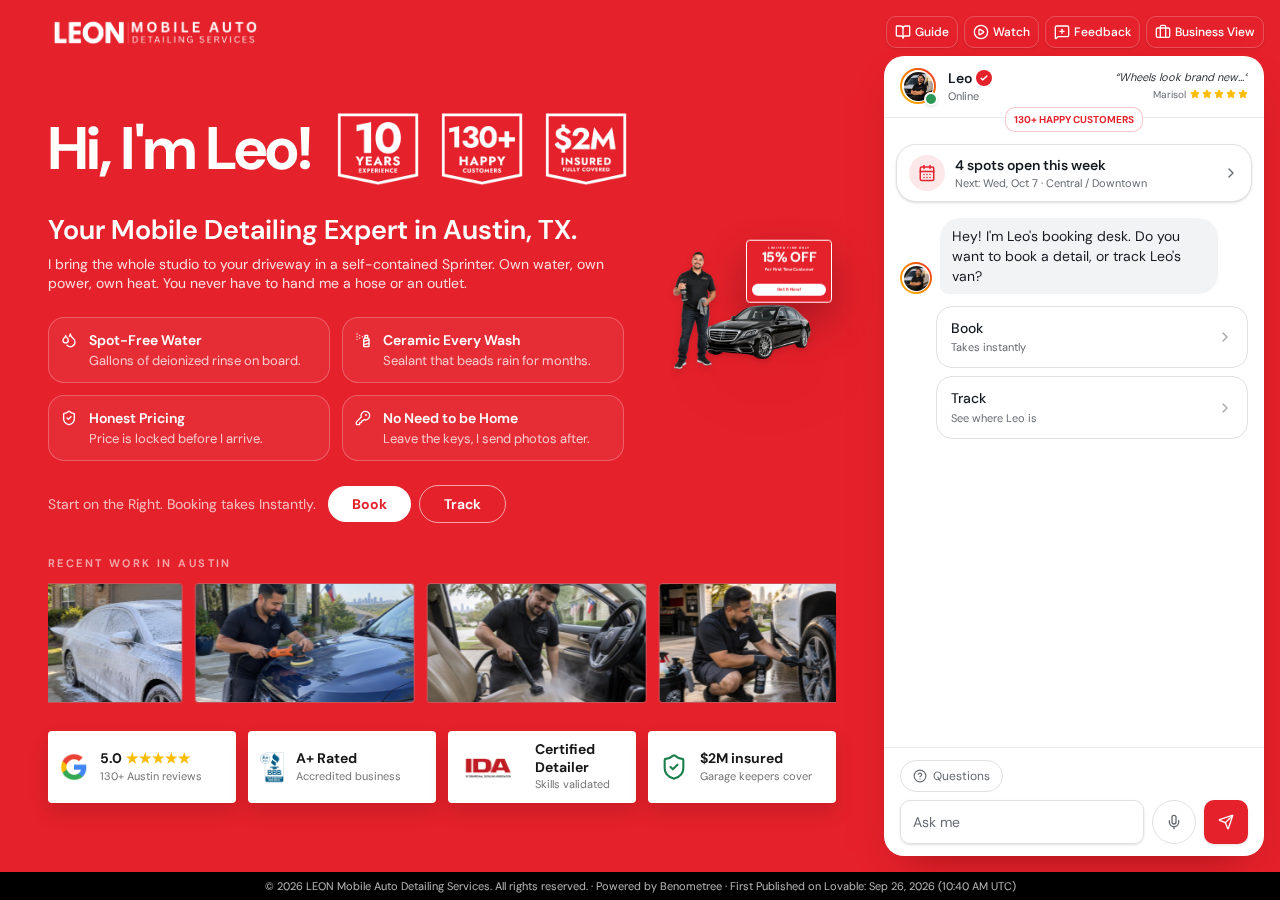
The site opens as a conversation. Leo's booking desk asks whether you want to book a detail or track the van, and answers without calls, forms, or waiting.
Visitors get an instant reply instead of a contact form that nobody answers until midnight.
02
Price appears before any commitment
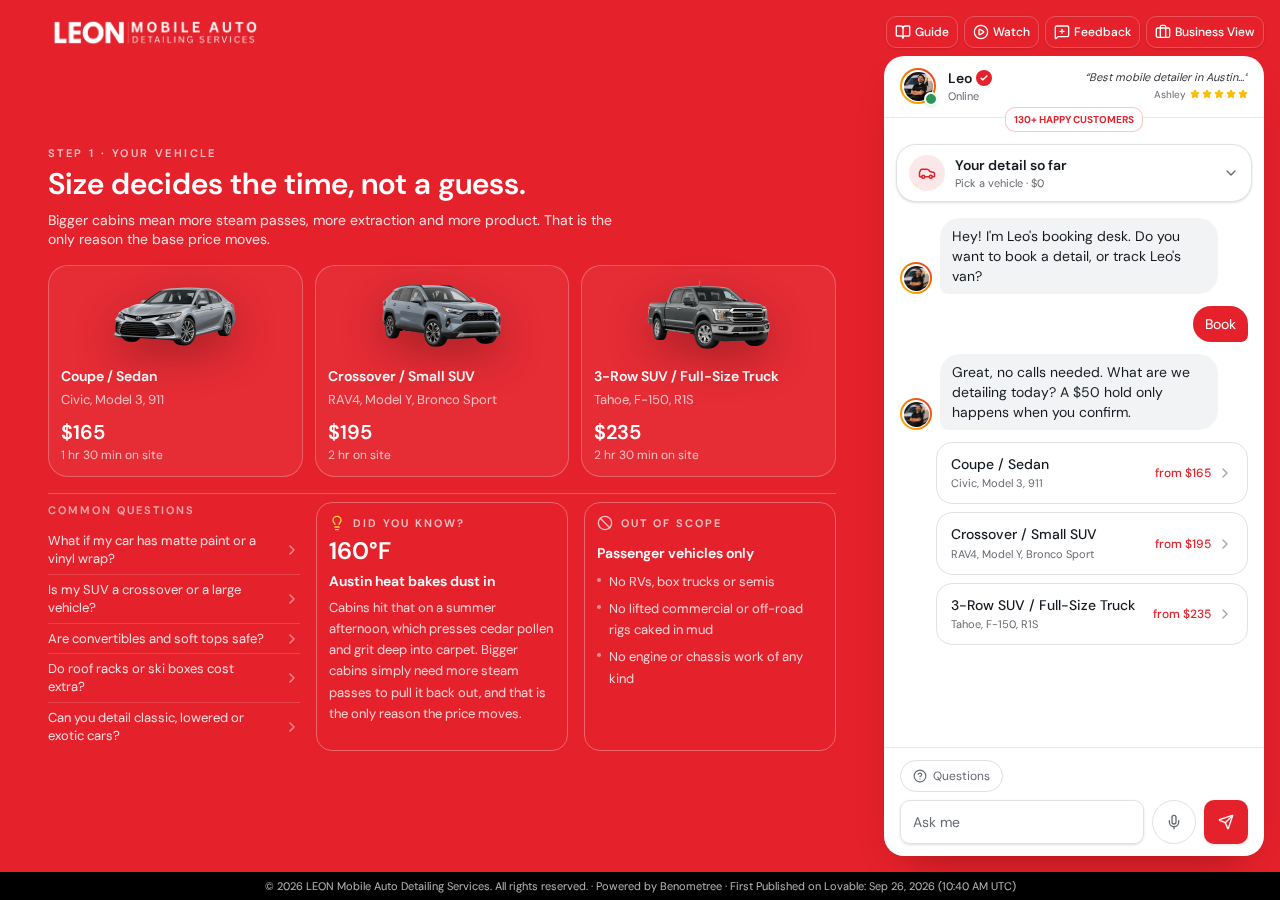
Step one asks for the vehicle. Coupe and sedan from $165, crossover from $195, three-row SUV or truck from $235 — each with the exact time on site.
Customers see real numbers in the first ten seconds, so the only question left is when.
03
Service area sets the day, not a fee
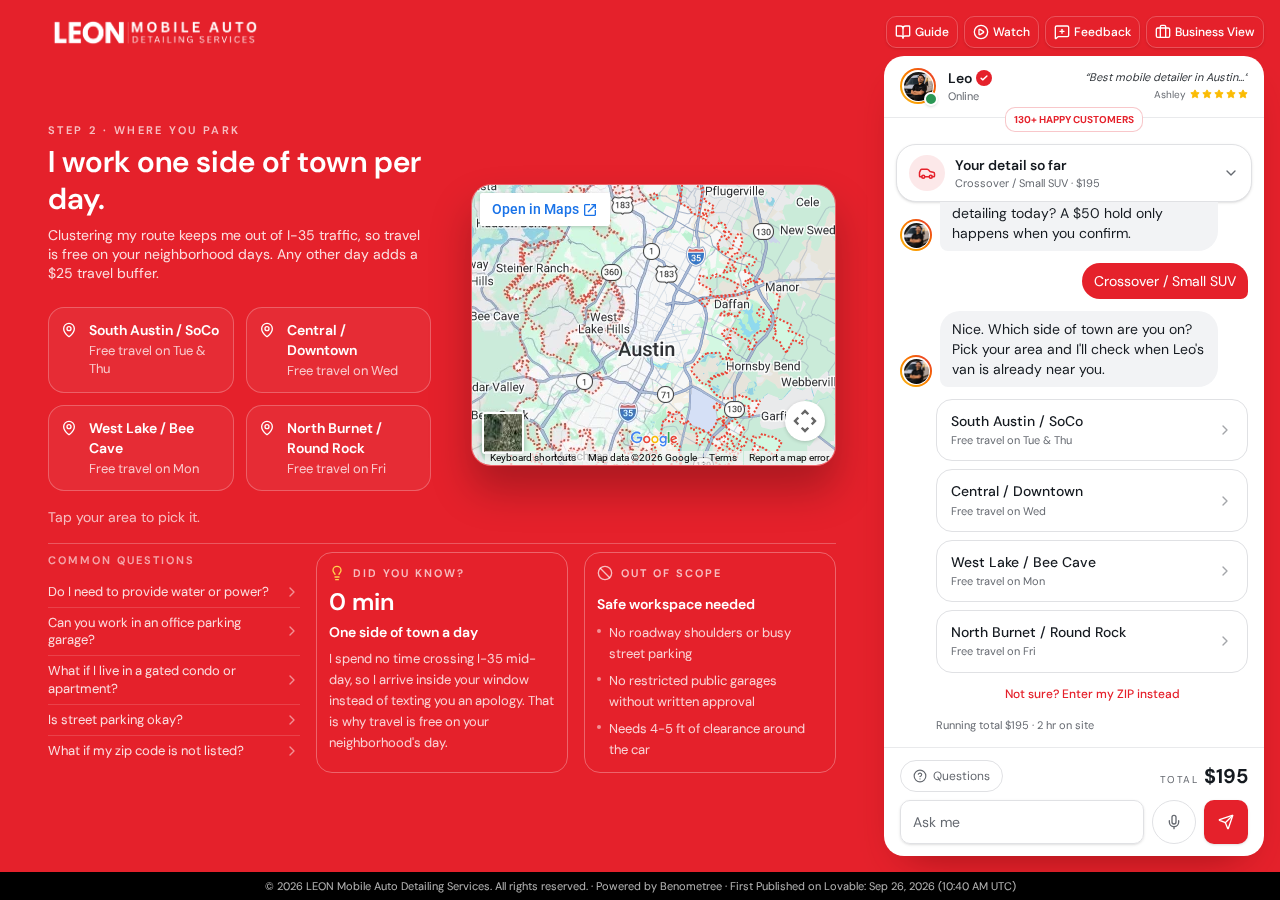
Four Austin zones each have a free-travel day. Pick your side of town and the desk tells you which day Leo is already near you.
Travel cost turns into a scheduling answer, which keeps the quoted price honest.
04
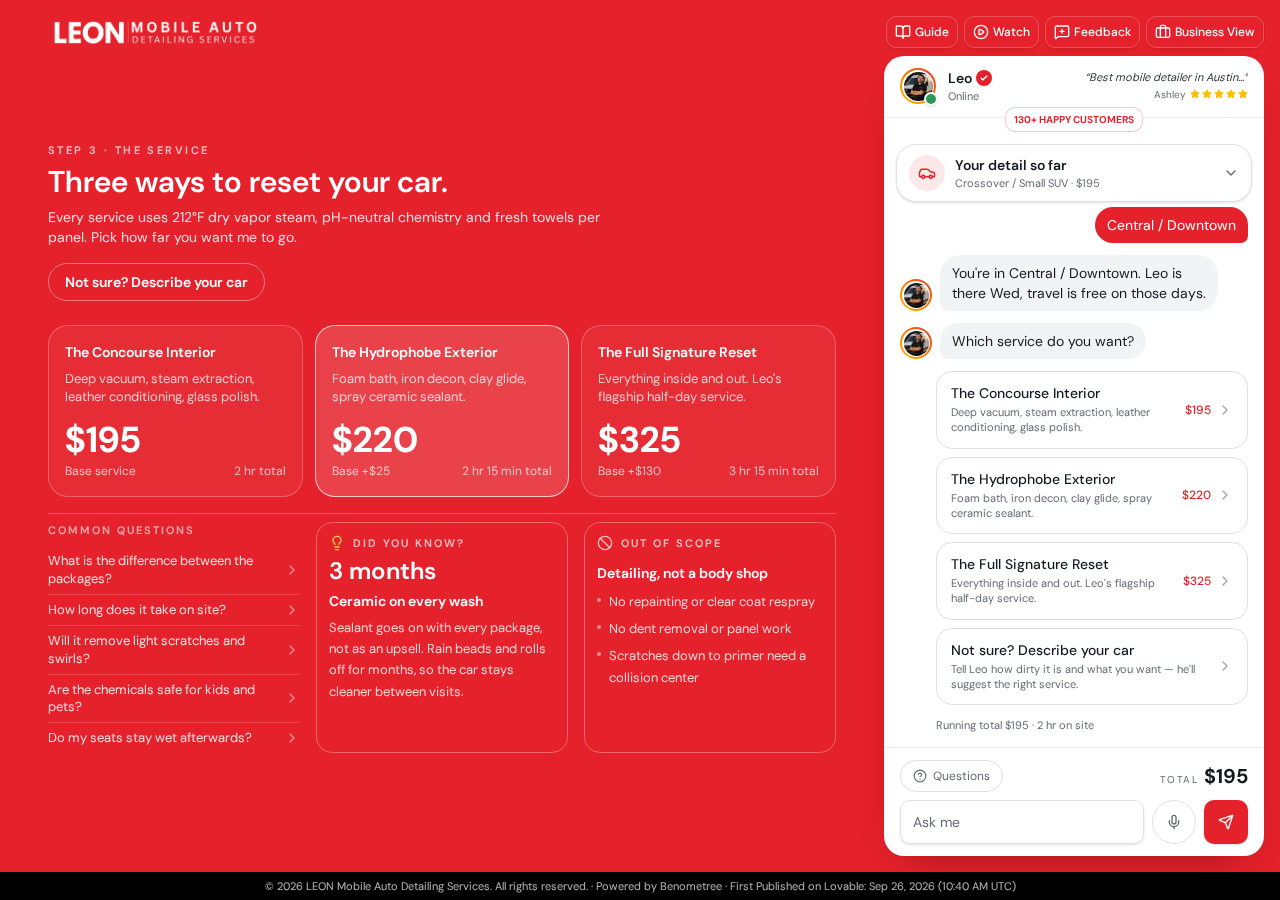
Packages explained in plain words
Three packages cover interior, exterior, or the full signature reset. Every package describes what actually happens inside the cabin, not just a name.
Customers choose from understanding, not from guessing what a package name hides.
05
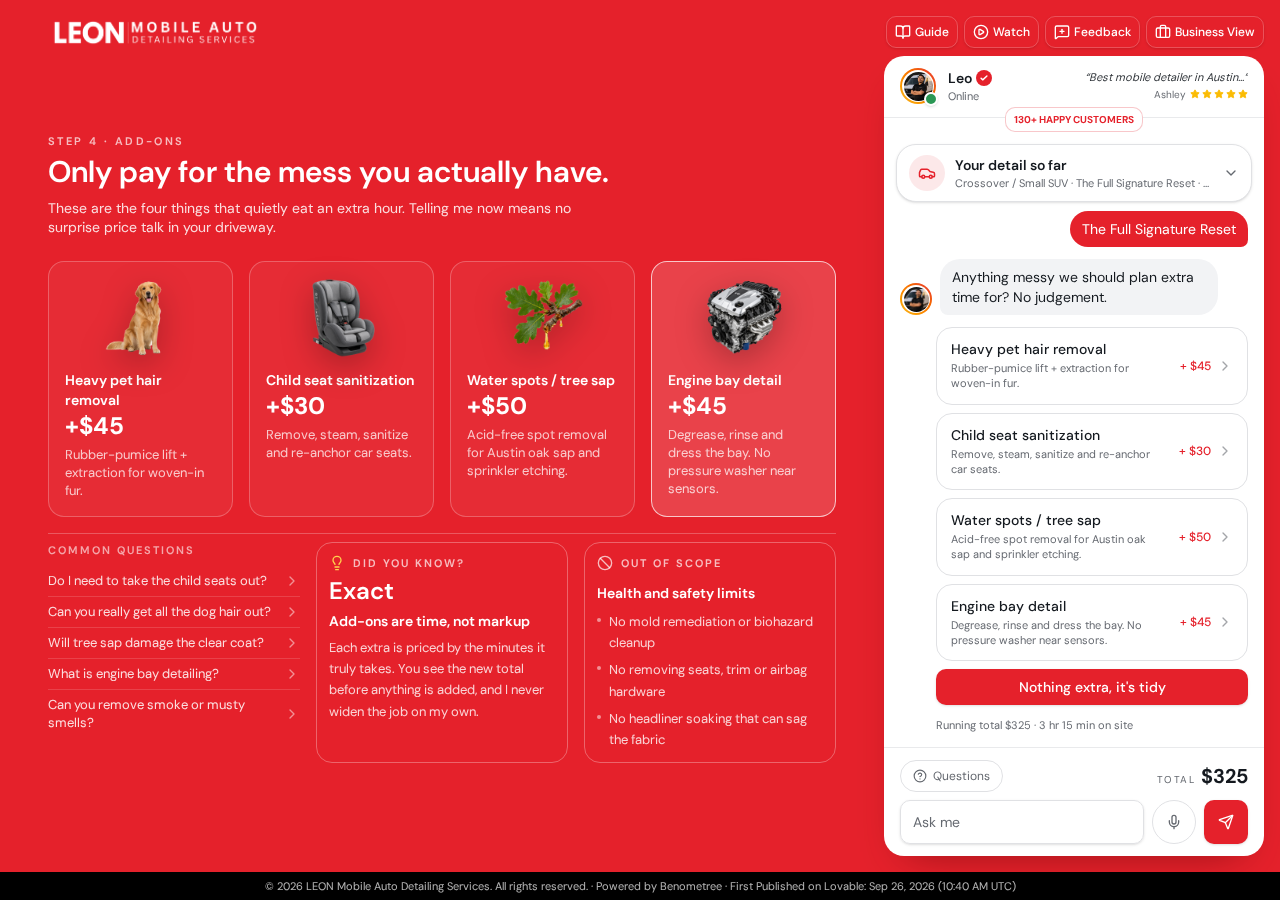
Add-ons only when they apply
The desk asks about pet hair, car seats, water spots, or the engine bay. Each add-on shows its price, and a tidy car skips them all.
Extras are offered when they make sense, never bundled into a price you did not expect.
06
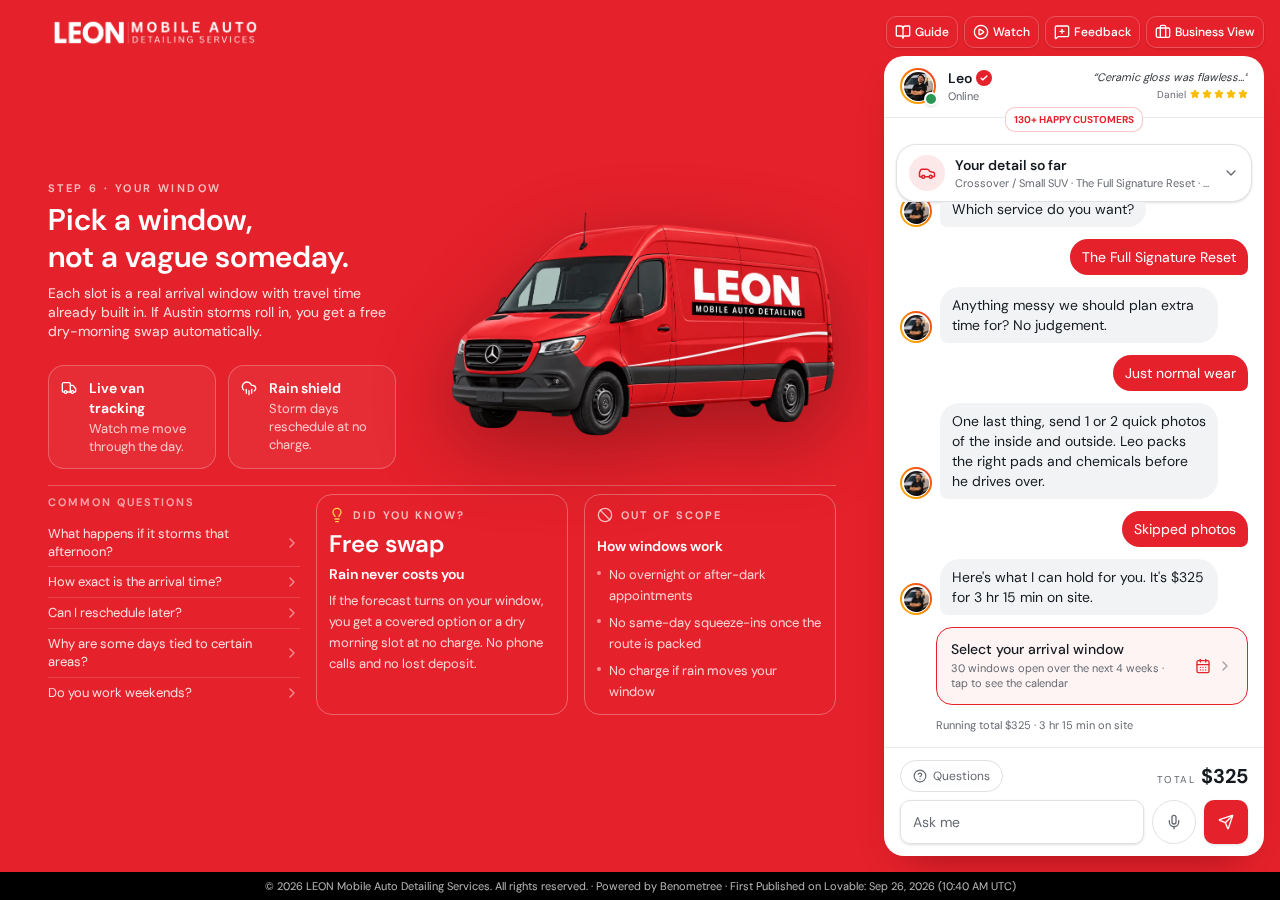
Real arrival windows, not someday
Step six shows open arrival windows with travel time already built in. Storm in the forecast? The window moves for free — no calls, no lost deposit.
A specific time slot, plus a rain guarantee, removes the two biggest fears of mobile service.
07
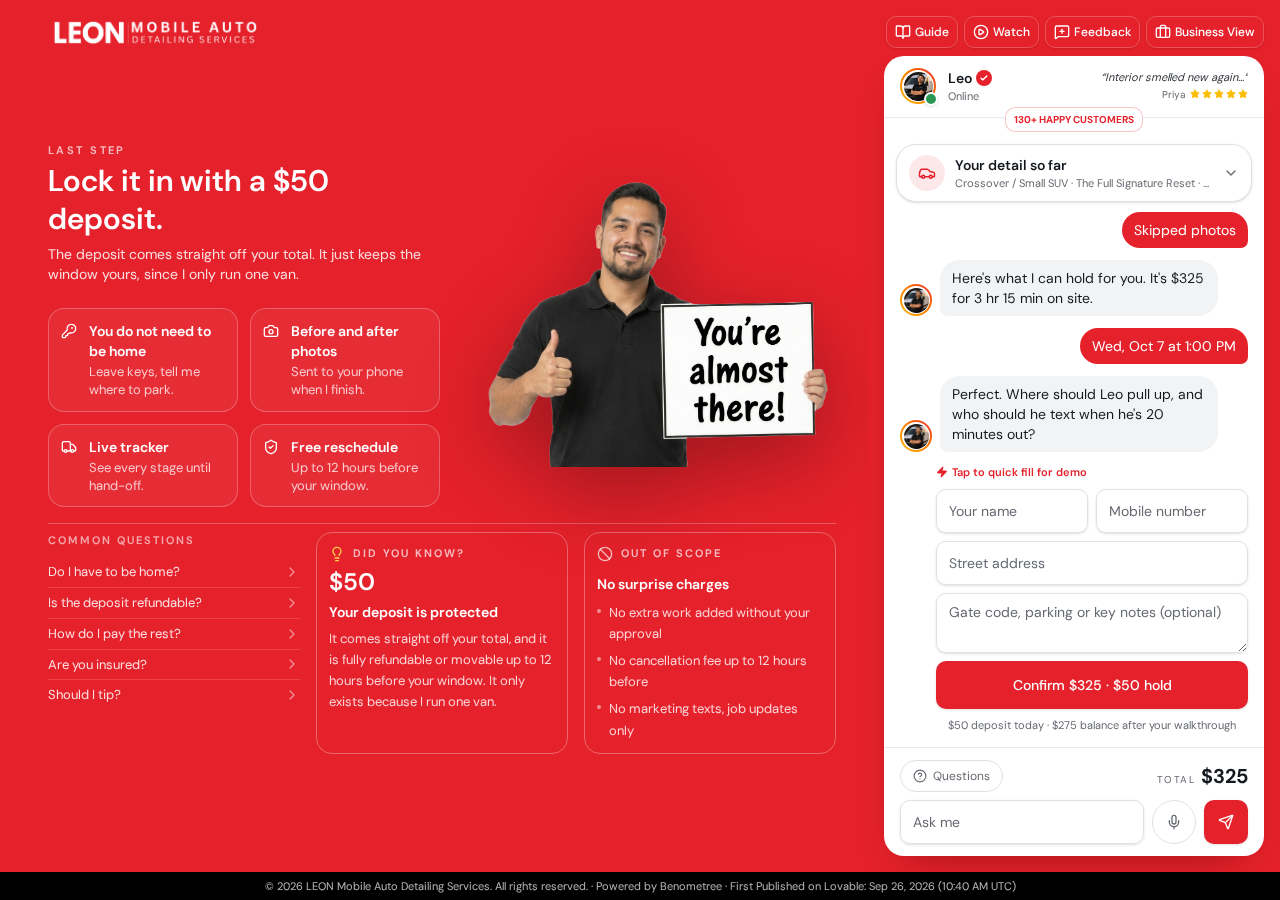
A $50 hold locks the window
The last step takes a name, mobile number, address, and a $50 deposit that comes straight off the total. Free reschedule up to 12 hours before.
One small hold protects a single-van schedule while the customer keeps full flexibility.
08
Live tracking until hand-off
After booking, customers get a six-character code. Entering it opens the live tracker — every stage from van packed to ready for hand-off, with messages that land on the job card.
The customer watches the van, not the clock, which is the whole promise of a mobile service.
See the full story
The complete case study covers the decisions behind every screen.